
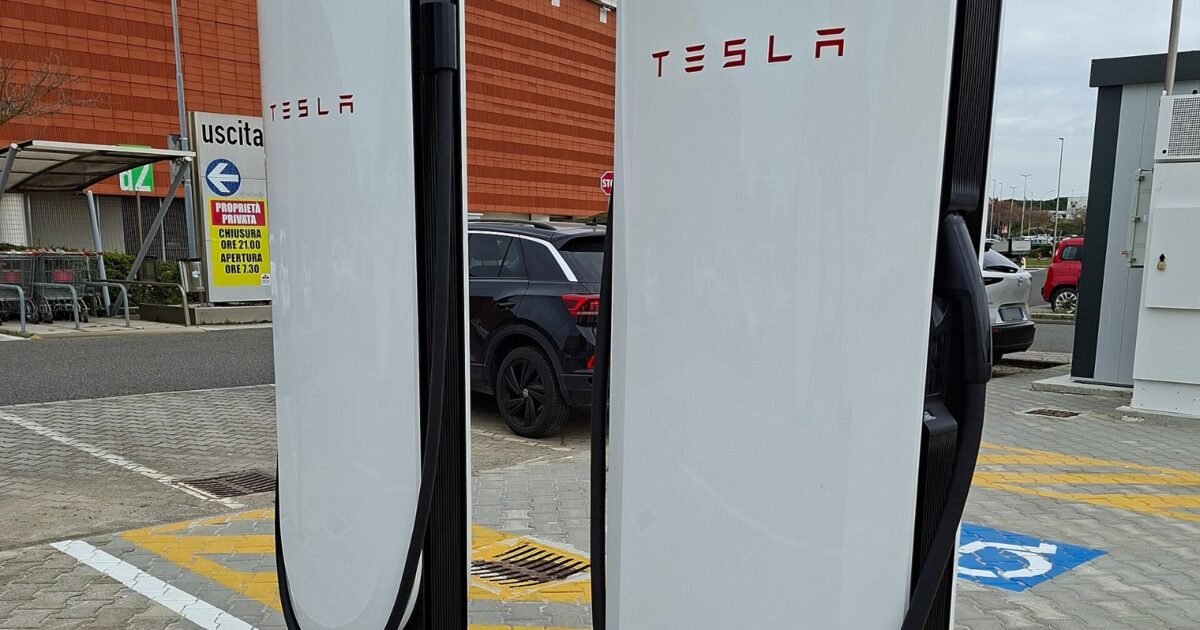
Tesla owners finally have a direct way to warm the battery before a fast-charging stop without trying to make the navigation system do it for them.
Software update 2026.44.3.1 adds a “Precondition for Fast Charging” control in the car and the Tesla app.
It is a small button that solves a very real problem.
Teslas already precondition automatically when a driver navigates to a recognized fast charger. But that system is less useful when the charger is close, when the car does not recognize a third-party station or when the owner wants to warm the battery before leaving.
The new control puts that decision in the driver’s hands.
Here is how it appears in the current Tesla app:
This is how 2026.44.3.1 battery preconditioning looks in the current Tesla App. 👇 https://t.co/pKgcb8pI2z pic.twitter.com/TN9lGkc3JP
— Lothar Lindinger (@lotharlindinger) November 27, 2026
Not a Tesla App reported that the control is rolling out with vehicle software 2026.44.3.1 and Tesla app 4.63.0. In the car, owners can open Controls, select Charging and tap the new fast-charging preconditioning button.
The vehicle interface shows a progress meter while the battery warms. The app offers start and stop controls, although the first-look report found that it does not show the same progress meter.
Tesla’s release notes recommend starting about an hour before a DC fast-charging session. Once the pack reaches its target temperature, the car can hold that condition for up to 30 minutes.
That timing matters because a cold battery cannot accept energy as quickly as a warm one. Getting the pack ready before plugging in can reduce the slow opening minutes of a charging stop.
The manual option does not replace Tesla’s automatic system. Navigate to a recognized Supercharger and the car can still begin conditioning on its own.
What changes is that owners are no longer limited to that trigger.
Tesla says software releases reach vehicles on a rolling basis, so seeing reports of 2026.44.3.1 does not mean every eligible car can download it immediately. Owners can check the Software tab in the vehicle and review release notes from the car or the Tesla app after an update arrives.
The company also notes that individual vehicles cannot be forced onto an update and cannot be reverted to an earlier software version. That makes this a staged feature launch, not an overnight switch for the entire fleet.
The feature is listed for Model S, Model 3, Model X, Model Y and Cybertruck worldwide. The vehicle update and current app are both needed for the complete in-car and remote-control experience.
A second owner demonstration shows the app’s start, in-progress and stop states:
🔋 Mit 2026.44.3.1 heizt du die Batterie jetzt direkt aus der Tesla-App fürs Schnellladen vor.
Unter Charging gibt es den neuen Knopf „Precondition for Fast Charging“.
Einmal tippen, dann steht da „Battery preconditioning in progress“, und mit „Stop Preconditioning“ brichst du… https://t.co/N4hYRIXEhV pic.twitter.com/ekZh97s70g— TADWatcherDE (@TADWatcherDE) November 27, 2026
The words “for Fast Charging” are important. The control prepares the battery pack for high-power DC charging; it does not heat the cabin or accelerate ordinary home AC charging.
TeslaNorth explained that the new command complements the existing navigation-based process. The practical beneficiaries are drivers headed to a non-Tesla DC charger, owners making a short trip that gives the automatic routine little time to work and anyone who wants to begin warming the pack before getting into the car.
The report also separates battery conditioning from cabin preheating. One prepares the high-voltage pack to accept a high charging rate; the other makes the passenger compartment comfortable.
Owners should still arrive with a reasonably low state of charge. A warm battery helps, but a nearly full battery will still slow down as it approaches its upper limit.
This is the kind of Tesla software improvement that looks modest in a release-note list and becomes obvious the first time it saves time at a charger.
No fake destination and no dependence on the charger appearing in Tesla’s database.
Owners can start before the drive begins.
Just tell the car where the next burst of energy is going to matter.


Join the conversation!
Please share your thoughts about this article below. We value your opinions, and would love to see you add to the discussion!