
Tesla owners running Full Self-Driving no longer have to watch the 2026 Summer Update roll past them from a separate software branch.
Software version 2026.26.6.5 is now spreading across North America with FSD v14.3.8 for newer HW4 vehicles, FSD v14.1 Lite for supported HW3 cars, and the Summer Update features bundled into the same release.
The most visible change may not be a driving maneuver at all.
Grok can now do more than answer questions. It can place phone calls, control music and climate, search the Controls panel and help owners operate parts of the car by voice.
That makes this release less of a routine version bump and more of a reunion between Tesla’s two biggest software stories: the driving stack and the in-cabin interface.
A current demonstration shows how quickly those new commands can replace a trip through Tesla’s menus.
Here is the new Grok command feature in action from @Tesla's 2026 Summer Update
It allows you to make phone calls, adjust climate, open the glovebox, search the control panel, turn on/off the heated or cooled seats, etc. The ambient lights also pulse when Grok is talking. pic.twitter.com/D7DK95AmpN
— Sawyer Merritt (@SawyerMerritt) August 26, 2026
Tesla Oracle reports that the combined release first appeared on some cars August 25 and then moved through additional waves. The key change is not that Tesla invented a new Summer Update; it is that FSD owners can finally receive that feature package without leaving the FSD branch they use every day.
The outlet’s hands-on command reporting puts the Grok upgrade in practical terms. Owners can ask it to make a call, play music, change climate settings, open the glovebox, search vehicle controls or explain what arrived in the latest update. That is a meaningful step beyond the chatbot Tesla originally placed in the cabin.
It also comes with a limit worth keeping clear. The release does not hand Grok control of Full Self-Driving decisions.
These are vehicle and infotainment commands, not permission to tell the driving system how to steer through traffic.
The broader Summer Update brings plenty of smaller changes around that headline feature.
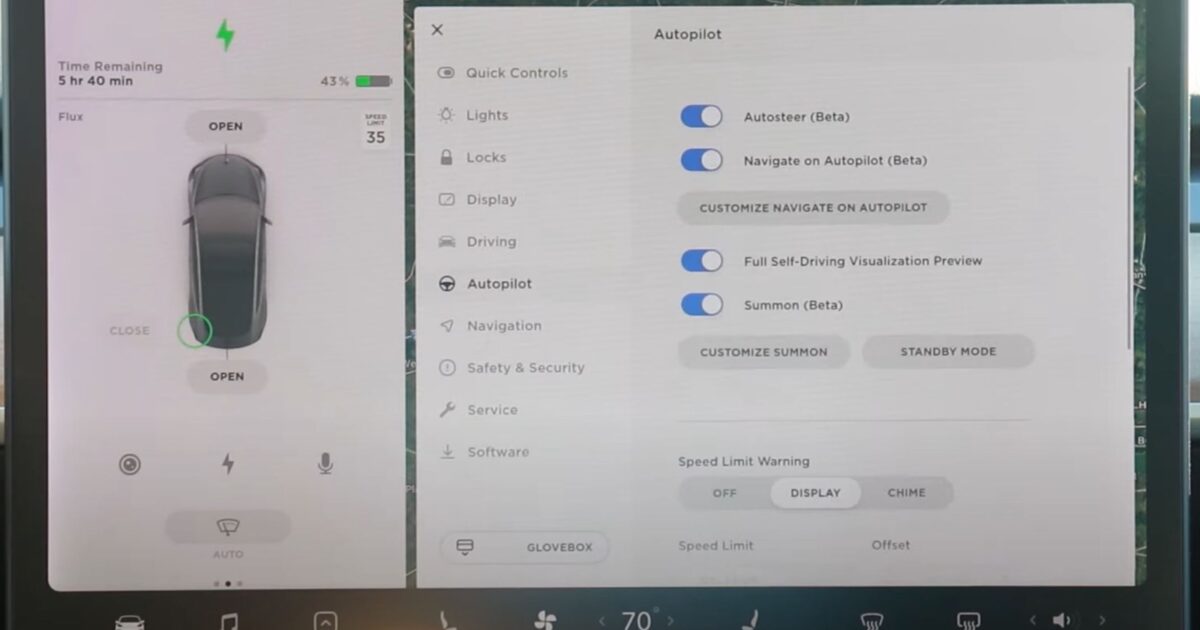
Depending on model and hardware, owners may see custom wrap uploads from the Tesla app, adjustable zoom for the driving visualization, camera previews outside Park, a scored Caraoke mode and battery-range estimates that account for aging.
The exact menu is not universal. Tesla software features frequently vary by vehicle, computer generation and region, and 2026.26.6.5 continues that pattern.
The HW4 branch carries FSD v14.3.8. Supported HW3 Model 3 and Model Y vehicles receive v14.1 Lite, a separate build designed to bring newer behavior to older computers without pretending the hardware is identical.
Teslascope lists the two FSD branches alongside the consumer features and shows the rollout expanding through the United States and Canada. Its v14.3.8 notes describe reinforcement-learning and vision-encoder improvements, a rewritten AI compiler and runtime, better handling of complex traffic lights and rare objects, and more accurate driver monitoring in difficult lighting.
The HW4 notes also say Tesla unified the model used by FSD, Actually Smart Summon and Robotaxi. A privately owned Tesla still requires an attentive driver, while the shared model brings previously separate driving experiences onto a common technical foundation.
For HW3, v14.1 Lite distills behavior learned on HW4 and adds improvements across navigation, merges, pedestrian interactions, parking, unparking and reversing. Arrival Options can tell FSD whether to finish in a parking lot, on the street or in a driveway, while Speed Profiles remain available more consistently.
Then there is Grok, which is beginning to feel less like an app inside the car and more like another way to use the car.
Tesla just upgraded Grok in the car to the #1 speech-to-speech AI model in the world
The new Tesla Summer Release brings Grok Think Fast 2.0
And this is much bigger than just having a better voice assistant
Grok can now actually interact with the car:
• Adjust vehicle…— X Freeze (@XFreeze) August 26, 2026
The grander claims in that post are the author’s own. The useful part for owners is visible and testable: spoken requests can now reach functions that previously required taps, swipes or menu hunting.
That can matter most when the car is moving. A voice command for climate, media or a setting lets the driver keep eyes up and hands where they belong.
Good execution could make the touchscreen less distracting without abandoning Tesla’s screen-centered cabin design.
It also raises the standard for reliability. A conversational answer can be mildly wrong and merely annoying.
A command that changes a vehicle setting has to understand the request, confirm the intended action and fail safely when the instruction is ambiguous.
Tesla has not turned FSD into a hands-off system with this update, either.
Tesla Support describes FSD as a supervised driver-assistance package that can handle lane changes, intersections, turns, roundabouts and highway entry or exit while following a route. The company says the driver must remain fully attentive and ready to take over.
Tesla is equally direct about what the name does not mean: FSD Supervised does not make the vehicle autonomous. The support page also says an eligible over-the-air update is required, so seeing 2026.26.6.5 on another owner’s car does not guarantee that every Tesla will receive the same branch at the same moment.
That distinction is especially important as Tesla uses the same release to talk about FSD, Robotaxi-derived models and a voice assistant that can operate vehicle functions. The technology is converging, but the permissions and responsibilities are not interchangeable.
For owners, the immediate result is simpler.
FSD vehicles are catching up to the Summer Update, and HW3 and HW4 each have a defined path.
Grok is becoming useful beyond conversation. A Tesla’s next major interface may be less about finding the right button than asking for the right thing.
Join the conversation!
Please share your thoughts about this article below. We value your opinions, and would love to see you add to the discussion!