
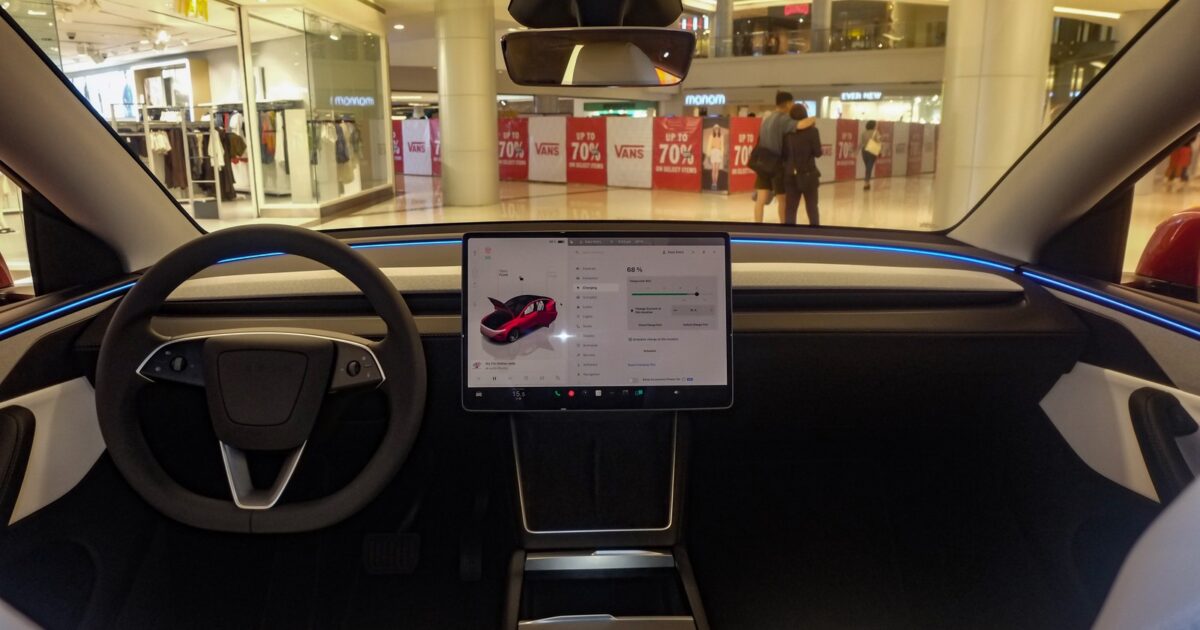
Tesla just turned Grok in its cars from a voice companion into something much closer to a hands-free work assistant.
The company says drivers can now use Connectors to manage an inbox, clean up a calendar and talk through existing files, chats and tasks without reaching for a phone or laptop.
The same-day announcement shows the new feature operating through the Grok experience already built into compatible Tesla vehicles.
.@Grok in your Tesla can now do meaningful work for you
With Connectors, you can manage your inbox, clean up your calendar, or talk through existing files/chat/tasks – all hands-free pic.twitter.com/W1LuybQh0P
— Tesla (@Tesla) September 22, 2026
This goes well beyond changing the cabin temperature or answering a question. Connected email, calendar and file access gives the in-car assistant context from the work and plans a driver already has in motion.
TeslaNorth reports that setup begins in the Grok app: tap the plus icon, choose New Connector, select a supported service and sign in. Once connected, Grok can call on that service when a request needs it.
The outlet says Tesla’s announcement separates those connected information tasks from more ambitious agent-style work. Grok Bot can handle errands such as placing a usual coffee order, booking a restaurant reservation or scheduling an appointment.
Those advanced tasks are currently tied to SuperGrok Heavy, with support for additional subscription tiers expected later. Tesla has not yet published a clean vehicle-by-vehicle rollout table or named the first software build carrying every new function.
An early-access demonstration goes beyond a staged menu. Devin Olsen showed Grok Bot confirming a Starbucks order and the total while FSD handled the drive, then placing the order by voice.
Grok @bot is in the Tesla now.
I used it to order Starbucks while FSD drove. No phone, just voice. Confirmed the drink and total, then it placed the order.
This is the first thing that actually feels like the car can run an errand with you.
Currently available to SuperGrok… pic.twitter.com/YPb6BwKVwT
— Devin Olsen (@DevinOlsenn) September 22, 2026
That video is an early-access example, not proof that every compatible Tesla can perform the same transaction today. It does show the direction clearly: the car is becoming another place where an AI agent can use connected accounts and complete a multi-step task.
SpaceXAI Docs lists Gmail and Google Calendar, Google Drive, OneDrive, Outlook Mail and Calendar, Microsoft Teams, SharePoint and Salesforce among its built-in connectors. The catalog also extends to services including Box, GitHub, Linear, Notion and Vercel.
The built-in connections use OAuth. An owner signs in and grants the requested permissions once, and Grok can then use the relevant tool when a conversation calls for it.
SpaceXAI also maintains a broader connector catalog for services such as Box, GitHub, Linear, Notion and Vercel. Business and Enterprise organizations may require an administrator to provision a connector before it becomes available to team members.
Those permissions deserve a close look. Letting an assistant find a file is different from letting it send an email, edit a document, create a calendar event or place an order.
Owners should read the requested scopes and connect only the accounts they actually want available from Grok.
Tesla Support says the baseline in-car Grok experience remains in beta. It requires a Tesla with an AMD infotainment processor, vehicle software 2025.26 or later, and either Premium Connectivity or a stable Wi-Fi connection.
Tesla says Grok interactions are processed by SpaceXAI, remain anonymous to Tesla and are not linked to the owner or vehicle. Precise-location functions require a separate opt-in, while phone contacts used for calls remain in the vehicle rather than being sent to SpaceXAI.
The support page still says a Grok account or paid subscription is not required for the basic in-car assistant. That should not be confused with the new high-end agent functions TeslaNorth reports are beginning with SuperGrok Heavy.
For owners, the practical test will be reliability. Reading the right message or finding a calendar conflict is useful.
Sending the wrong email, changing the wrong event or ordering the wrong item would be a very different experience.
Tesla has spent years turning the center screen into the control surface for the whole car. Connectors push that screen in another direction: it can now become a voice doorway into the digital work waiting outside the car.
If the rollout works as shown, a commute no longer has to be dead time between two computers. It can become the place where a driver clears the small tasks that would otherwise still be waiting at the destination.
Join the conversation!
Please share your thoughts about this article below. We value your opinions, and would love to see you add to the discussion!