

If you own a Tesla with the latest hardware, you might want to check your software update screen right now. Tesla’s massive Spring 2026 Update, version 2026.14, has officially started landing on vehicles across North America and beyond. And the first owner reactions are rolling in.
This isn’t some minor bug fix or menu tweak. Tesla packed this one with features that change the entire feel of the car, from a hands-free AI assistant you can talk to, to visual upgrades that make your dashboard look like it came out of a design studio.
Owners who’ve already received the update are sharing their first impressions, and the visual overhaul alone is turning heads. Check out this before-and-after comparison of the parked vehicle visualization:
First Before & After look at Tesla's v2026.14.1 Spring Update. Parked vehicle visualisation comparison (white color ).#teslaupdate #tesla pic.twitter.com/qZwyhiPf3i
— Sergiu Mogan (@sergiumogan) April 17, 2026
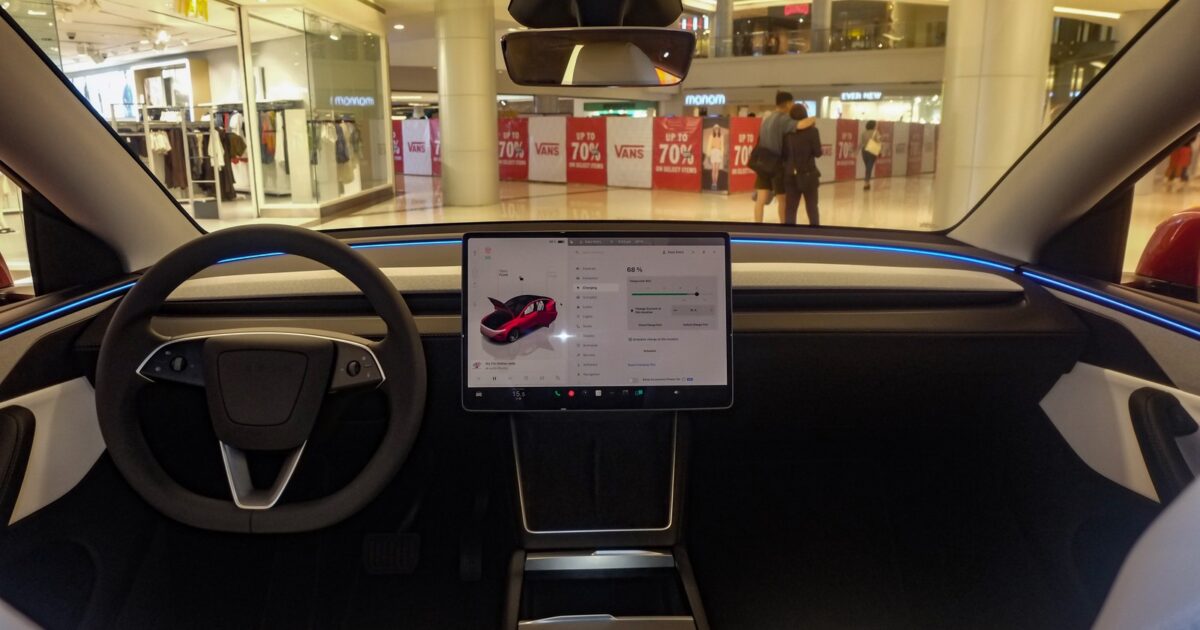
The difference is immediately noticeable. Tesla swapped the old flat gray background for a professional studio-style environment with realistic lighting, fog effects on the windshield, and spotlight reflections that make the car render look premium. The update leverages Unreal Engine integration to deliver these higher-fidelity graphics, and it’s available now on the Highland Model 3 and Model Y Juniper.
But the visual refresh is just the surface. Tesla also added an interactive map to the rear passenger screen, giving backseat riders their own navigation view. Here’s the first look:
First look at Tesla's v2026.14.1 Spring Update.
— Sergiu Mogan (@sergiumogan) April 17, 2026
🧭Rear screen interactive map #teslaupdate #tesla #teslasrpingupdate pic.twitter.com/yH3T4U8qHp
Not a Tesla App broke down the full scope of the visual changes:
The update leverages Unreal Engine integration to deliver higher-fidelity graphics. The vehicle rendering now features improved lighting effects, making paint reflections and glass surfaces noticeably more realistic. The previous plain gray background has been replaced with a professional studio-like atmosphere, complete with fog effects on the windscreen and spotlight-style lighting that creates depth and polish.
Translation: your Tesla’s screen just got a serious glow-up. And if you’re the type who sits in the car for an extra minute just admiring the dashboard, you’re not alone.
The headline feature for most owners, though, is “Hey Grok.” Tesla finally gave xAI’s Grok assistant a hands-free wake word. Just say “Hey Grok” and you can ask questions, get directions, or set location-based reminders like “remind me to pick up milk when I’m near home.” No button press required. Enable it in Controls, then start talking.
Not a Tesla App also covered another fan-favorite addition in the update:
Tesla has officially rebranded its iconic Dog Mode to Pet Mode. With the switch, owners can now choose between a dog, a cat, or even a hedgehog to display on the screen while they are away. The coolest addition is the ability to customize the display with your pet’s actual name, so passersby see “Don’t worry! [Pet’s Name] is chillin'” alongside the internal temperature.
Yeah. You can put a hedgehog on your Tesla’s screen now. Tesla calls it the “Cyberhog.” And honestly, that alone might be worth the update for some of you.
The Spring 2026 Update also brings a dedicated Self-Driving app for AI4-equipped vehicles, letting owners subscribe to Full Self-Driving (Supervised) with a single tap at $99.99 per month. It includes a stats dashboard that tracks your daily FSD streak and total miles driven with and without the feature active. Dashcam retention jumps from one hour to 24 hours with a permanent save option. And the ambient accent lights now flash red for blind spot warnings, which is a small touch that could genuinely save someone’s door.
This update is already hitting Highland Model 3 and Juniper Model Y vehicles first, with broader rollout expected for other AMD Ryzen-equipped models soon. If you’re on the current hardware, keep checking that update screen. This one is worth the wait.
Join the conversation!
Please share your thoughts about this article below. We value your opinions, and would love to see you add to the discussion!